
Aviator uses a fixed crash point for each round. The game commits that result before the plane takes off, then reveals the inputs after the round ends.
This walkthrough checks one completed round with the verification tool inside Aviator. It explains what to open, what to compare, and what the result can prove. It does not predict the next multiplier.
Open One Completed Round
Aviator displays previous multipliers in the round history at the top of the game screen. The verification tool checks the server seed, client seeds, and crash point for one finished round.
Start with a round that has already ended. You need the game interface, the round history, and the Provably Fair area. The exact button label or placement can depend on the operator’s interface.
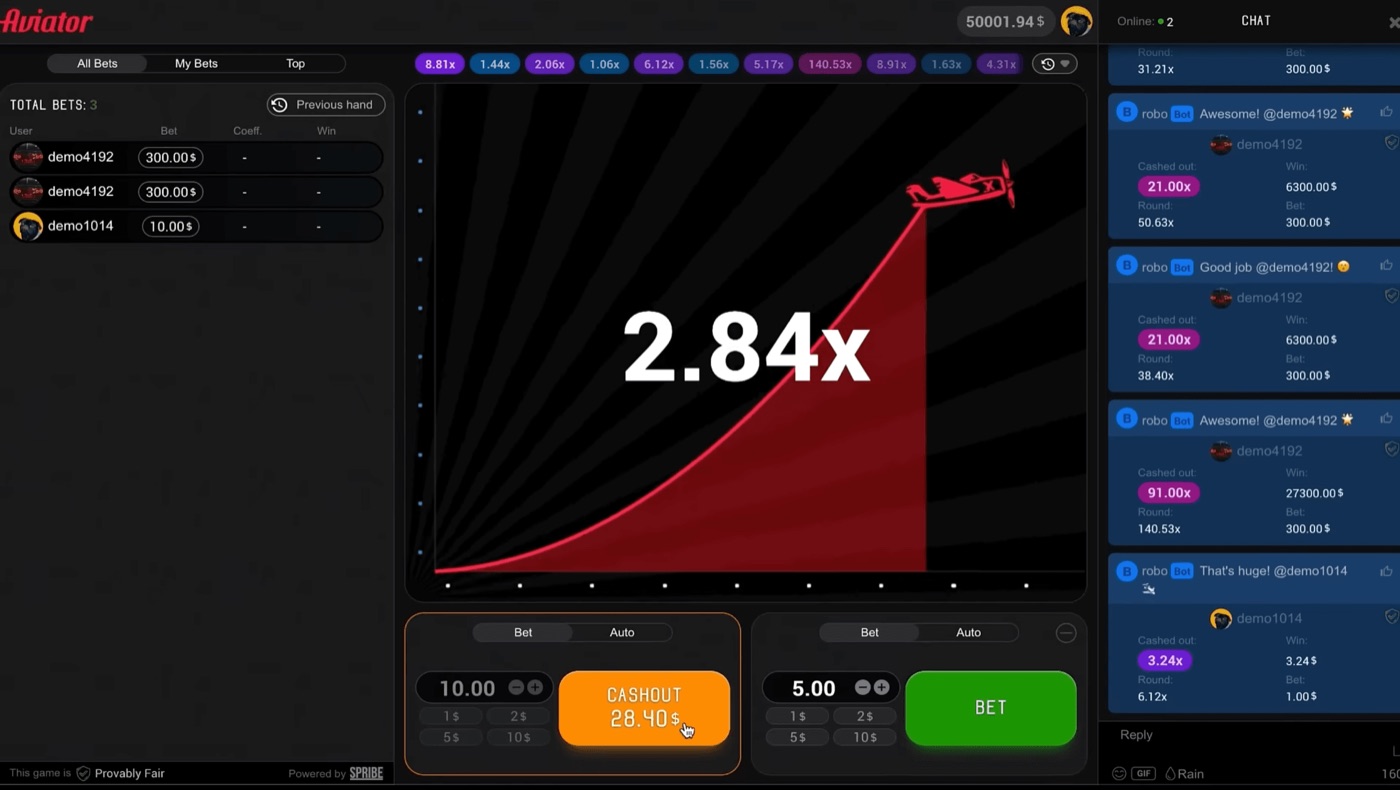
The Aviator interface shows live bets, chat, and a cash-out at 28.40.
Use the following sequence before checking any values:
- Open Aviator inside the operator’s website or app.
- Wait for one round to finish.
- Find the finished multiplier in the round history.
- Open the Provably Fair badge or verification area.
- Select the completed round you want to inspect.
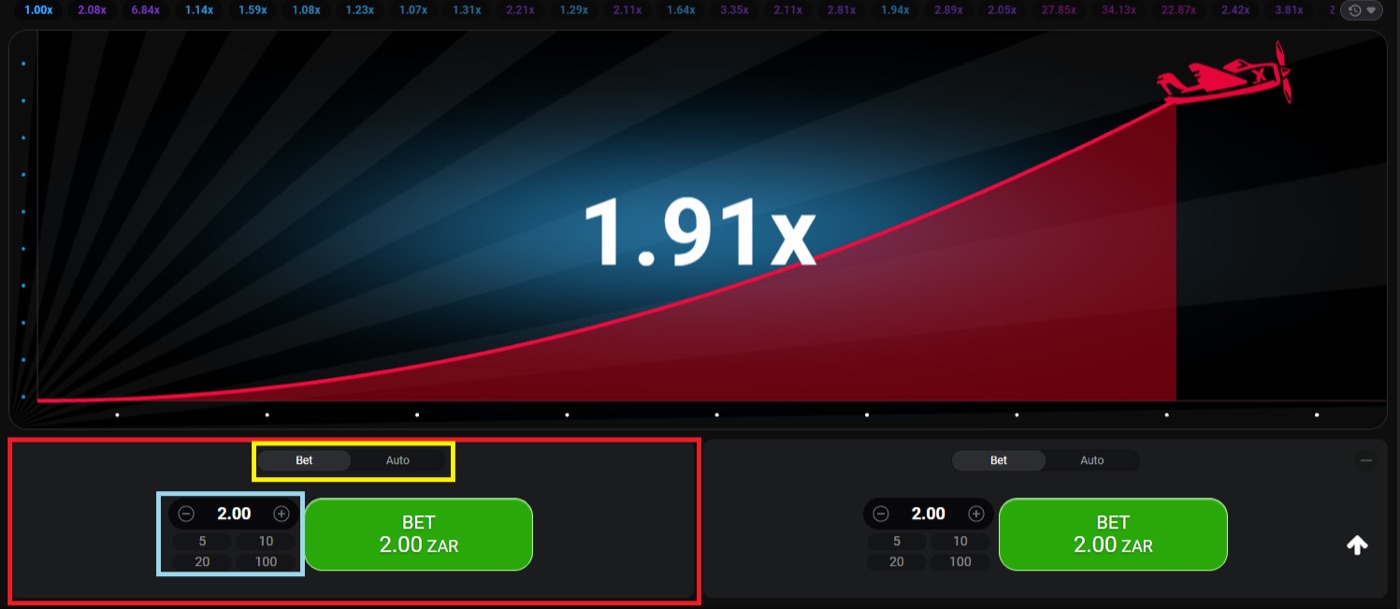
For example, suppose the history shows 1.91x. That number identifies the completed round. It does not prove that the next round will reach 1.91x, and it does not reveal a future result.
Aviator is a crash game, not a slot. It has no bonus round. The plane’s increasing curve can crash at any time, including at 1.00x.
Read the Published Hash
Aviator publishes a SHA-256 hash of the server seed before each round. The hash commits the server to a value before the crash point appears.
The verification panel shows the server-seed information after the round ends. The client seeds from players are combined with the server seed to produce the checked result.
A hash is a long string of letters and numbers. Do not try to read it as a multiplier. It is a commitment value. The verification process uses it to check that the revealed server seed matches the value published before take-off.
- Copy the published server hash if the tool provides a copy control.
- Record the round multiplier shown in the history.
- Open the revealed server-seed field after the round ends.
- Note the client-seed values shown by the tool.
- Run the in-game verification control.
The order matters. The pre-round hash is the commitment. The revealed seed is the value checked against that commitment. The client seeds are additional inputs used in the calculation.
One player may see a 1.91x round while another player sees the same completed round in the shared history. Verification concerns the round’s inputs and result. It does not create a separate result for each account.
The game includes a Provably Fair badge for this process. If the operator changes the surrounding interface, look for that badge or a similarly named fairness control rather than relying on a general account history.
Check the Round Result
The verification tool compares the revealed inputs with the completed crash point. A successful check should reproduce the multiplier recorded for that round.
A 1.91x result means the checked round ended at 1.91x. It does not mean a bet automatically cashed out at that value, because a cash-out request still has to reach the server before the crash.
Use this table to separate each item in the verification panel:
| Item | What it does |
|---|---|
| Server hash | Commits the server seed before the round starts. |
| Server seed | Provides the revealed server input after the round ends. |
| Client seed | Adds a player-side input to the calculation. |
| Crash point | Shows where the checked round ended. |
| Round history | Displays previous multipliers for comparison. |
Use these checks when the tool displays the result:
- Confirm that the selected round is the round you intended to inspect.
- Compare the calculated crash point with the history multiplier.
- Check that the revealed server seed corresponds to the published hash.
- Confirm that the client-seed fields are included in the calculation.
- Read the tool’s final verification status.
For a concrete example, the history may show 1.91x and the tool may calculate 1.91x from the revealed inputs. That is the expected match. A mismatch means you should first check whether the wrong round, wrong seed, or incomplete field was selected.
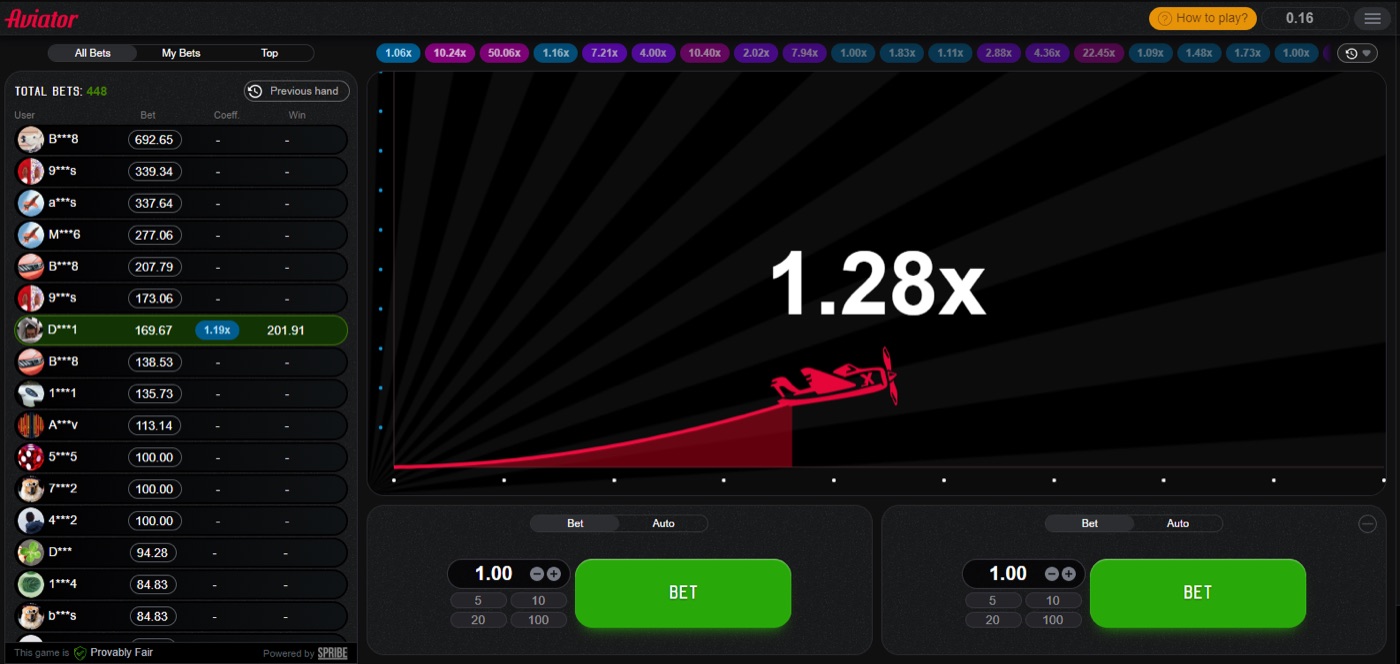
The plane remains in flight while the current multiplier rises.
Verification does not measure whether the round was easy or difficult. A 1.20x result and a 20x result use the same type of check. The multiplier changes, but the verification process does not.
Use Seeds and Inputs
Aviator combines the server seed with client seeds from players. The crash point is fixed before take-off, not selected after a player places a cash-out request.
The server seed remains hidden until the round ends. The earlier SHA-256 hash lets the tool check that the later disclosure matches the prior commitment.
Server seed check
Copy the revealed server seed exactly if you are checking it outside the visible fields. One missing character changes the hash. The in-game tool reduces this risk by handling the comparison inside the game.
- Locate the server hash recorded before the round.
- Locate the revealed server seed after the round.
- Place both values in the matching verification fields if required.
- Start the hash comparison.
- Continue only when the comparison confirms a match.
Client seed check
Client seeds form part of the calculation. Do not replace a displayed client seed with a new value while checking a completed round. That would test different inputs.
If the panel displays more than one client seed, include each one in the order shown. The purpose is to reproduce the finished round, not to search for a more favourable multiplier.
The tool cannot turn a completed 1.20x round into a 10x round. It can only show whether the recorded inputs produce the recorded result.
Separate Checks From Betting
Aviator provides two bet panels per round. Each panel can use a separate cash-out, while the verification tool examines the completed round itself.
The Bet and Auto tabs control betting settings. Auto Cash-Out uses a preset multiplier, and Auto Bet or Auto Play can cover 10 to 100 rounds with stop-on-win or stop-on-loss settings.
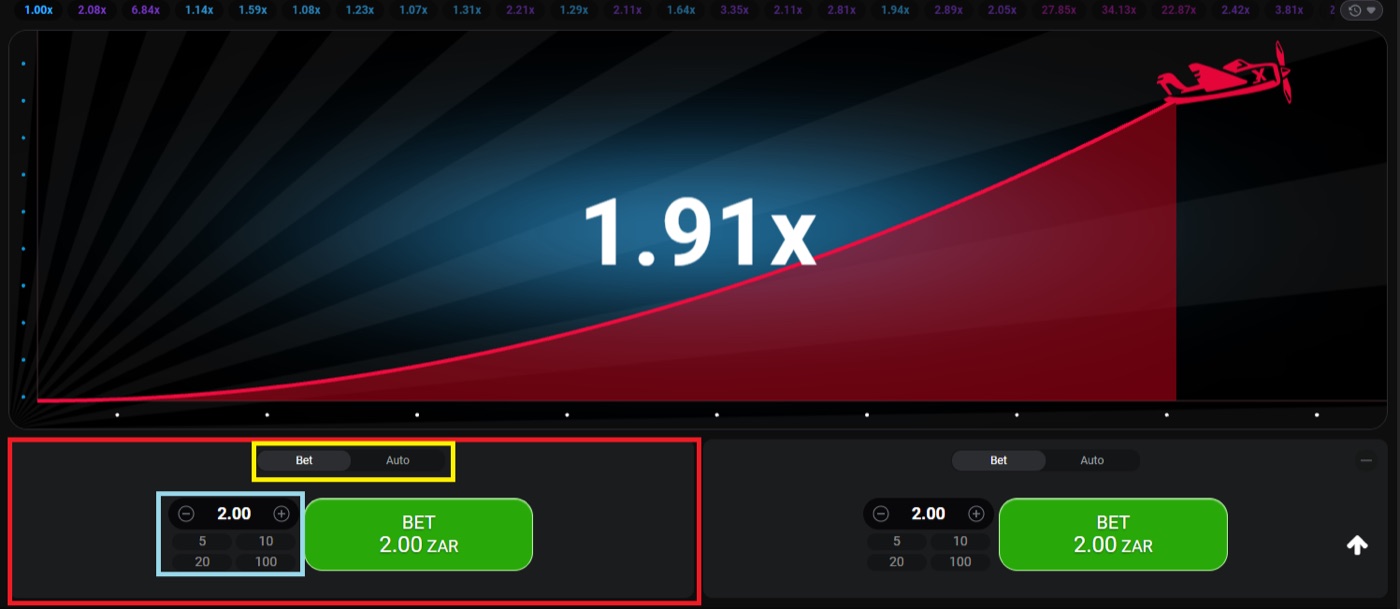
The desktop round shows 1.91x with two separate bet panels.
Keep these functions separate:
- The round history records completed multipliers.
- The bet panels accept stakes for a round.
- Cash-out records when a player sends a cash-out request.
- Auto Cash-Out sends the setting selected by the player.
- The verification tool checks the completed round inputs.
Consider a round that reaches 1.91x. A player with Auto Cash-Out at 1.50x may cash out before the crash. A player waiting for 2.00x may not cash out if the round ends at 1.91x. The verification result is the same for both players.
This distinction matters when reading a complaint about a timed-out cash-out. The request must reach the server before the crash. Latency or a slow device can affect the request. Verification checks the round result, not whether a delayed request should have succeeded.
For a crash game, a 1.91x multiplier is a round result, not a guarantee for a future stake. A bookmaker may offer different stake settings, but operator limits and available values depend on the operator. 1win bet aviator is one example of a gambling search term that should not be confused with the in-game verification process.
Interpret What Verification Proves
Aviator lists RTP at 97% and house edge at 3%. The verification tool checks individual round integrity; it does not remove the mathematical edge from betting.
The probability that a round reaches multiplier m is 0.97 divided by m. At 2x, the listed probability is 48.5%; at 10x, it is 9.7%.
These figures help explain why a verification result should be read narrowly:
- At 1.2x, the listed probability is 80.8%.
- At 1.5x, the listed probability is 64.7%.
- At 2x, the listed probability is 48.5%.
- At 5x, the listed probability is 19.4%.
- At 20x, the listed probability is 4.85%.
- At 100x, the listed probability is 0.97%.
About 3% of rounds, or roughly 1 in 33, crash instantly at 1.00x. The verification tool can confirm that an instant crash was the committed result. It cannot make the next round less likely to crash early.
The expected value is -3% of the stake at every cash-out target. A different strategy changes variance, not the house edge. Aviator is a high-variance game.
Patterns, graph analysis, best-time claims, and strategy charts do not change the listed odds. Rounds are independent. A previous 1.00x result does not require the next round to reach a higher multiplier.
Martingale also does not change the edge. Doubling after each loss reaches 1,024 times the base stake after 10 losses. Guides also name Fibonacci and D’Alembert systems, but neither beats the 3% edge.
Set a spending limit before playing and stop when it is reached.
Avoid Verification Mistakes
The verification tool uses the selected round’s inputs. A wrong round number or incomplete seed can produce a failed check even when the game result is valid.
The round history displays previous multipliers at the top of the interface. Use that history to identify the round before opening the detailed verification fields.
Check these common errors:
- Selecting a current round instead of a completed round.
- Reading the current multiplier as the final crash point.
- Copying a server hash instead of the revealed server seed.
- Leaving out one displayed client seed.
- Changing a seed before submitting the check.
- Comparing a cash-out value with the crash point without checking timing.
The current multiplier keeps rising while the plane is in flight. It becomes a completed result only when the round ends. A cash-out at 1.50x and a crash at 1.91x are different interface events.
The game works on desktop, tablet, and mobile browsers. It was built for low bandwidth and budget devices, but a slow connection can still delay a cash-out request. That delay does not change the round’s previously fixed crash point.
Demo mode is available through an operator’s demo environment or demo.spribe.io and needs no registration. It can help you find the Provably Fair control and practise the verification sequence without using a real stake.
There is no standalone official Aviator app from Spribe. Aviator runs inside a licensed operator’s website or app. Third-party predictor apps and bots cannot calculate a future crash point because the result is committed by hash before the round.
Aviator FAQ
Aviator uses a SHA-256 server hash before each round. The in-game tool reveals the inputs after the round and checks the completed result.
The game offers a round history and a Provably Fair badge. These features let players inspect a finished round without treating verification as a prediction service.
Can the tool predict the next round?
No. The tool verifies a completed round. The crash point is fixed before take-off, but the next round’s result is not available through the previous round’s verification fields.
What does a 1.91x result show?
It shows that the checked round ended at 1.91x. It does not show that the next round will reach 1.91x or that every cash-out request at that value will succeed.
Why can a cash-out time out?
The cash-out request must reach the server before the crash. Latency or a slow device can delay that request. The verification tool checks the crash result, not the timing of a delayed request.
Can a predictor app verify Aviator?
Use the verification tool inside the game for a completed round. Third-party predictor apps and Telegram signal bots cannot predict the crash point. Public math and marketing version names do not change the game’s committed inputs.
Can I check a round in demo mode?
Demo mode needs no registration and can be used to locate the game’s controls. The available demo interface depends on the operator or demo environment. Use a completed round when practising the verification steps.
Does verification remove the 3% edge?
No. Aviator lists a 97% RTP and a 3% house edge. Verification checks whether one result matches its inputs; it does not change the expected value of a stake.